
CommonSpirit - CO/KS/UT
CommonSpirit HealthMedical
4.4142.00 Reviews
- Version
- 11.5.2
- Installs
- 10.00K
- Age Rating
- Everyone
Screenshots
Our Review of CommonSpirit - CO/KS/UT
 Analysis by Appyee
Managing healthcare is rarely difficult because of one big task. It is usually the small tasks that create friction: finding the right portal, checking whether a message arrived, locating a result, or remembering where an appointment detail was saved. CommonSpirit - CO/KS/UT is designed to bring the CommonSpirit Health patient portal for Colorado, Kansas, and Utah onto a mobile screen. I found it most useful as a focused companion for people who already receive care through the participating CommonSpirit system and want a more convenient way to reach their patient information.
This is a free medical app from CommonSpirit Health, rated for Everyone. It has a 4.4 average from around 283 ratings and has passed 10,000 installs, so it is not an obscure experiment, even though its audience is naturally limited to patients connected with the relevant CommonSpirit portal. The current version is 11.5.2, and it supports Android 9 or later. Those details matter because the app’s value depends less on broad entertainment or general wellness tools and more on whether it matches your healthcare relationship.
What to expect from the CommonSpirit patient portal app
The first thing I would tell a new user is to keep expectations practical. CommonSpirit - CO/KS/UT is not a general symptom checker, emergency service, medication encyclopedia, or replacement for speaking with a clinician. Its purpose is mobile access to your CommonSpirit Health patient portal. That makes it useful for administrative and communication tasks, but it also means the experience begins with a basic question: are you already connected to the correct CommonSpirit care network?
If the answer is yes, the app can become a convenient starting point for checking your health-related account without relying on a desktop browser. I like that the regional focus is stated clearly in the name. It reduces the chance of assuming that every CommonSpirit location uses precisely the same portal connection. Before installing, I would compare the state abbreviation in the app name with the location where you receive care.
The mobile format is especially helpful when you are away from your computer. A patient portal is often something people open at inconvenient moments: while preparing for an appointment, after receiving a reminder, when a family member asks for information, or when they want to review something discussed during a visit. Having the portal in an app can make that first step feel less like an administrative chore.
At the same time, I would not choose this app simply because I wanted a healthcare app. Its usefulness is tied to CommonSpirit Health - CO/KS/UT. Someone looking for a broad health tracker, exercise planner, independent telehealth service, or medication reminder would be better served by an app built for that specific purpose. The narrow scope is a strength for the right patient and a limitation for everyone else.
Who is likely to benefit most
I see the strongest fit for an existing CommonSpirit patient who wants a direct mobile route to their portal. It can also suit someone who dislikes navigating a hospital website on a small browser screen. A person helping an older relative may appreciate having a recognizable portal app available, although the account holder should remain in control of sign-in details and private health information.
It is less suitable for someone who has never used CommonSpirit services and expects the app to locate a provider automatically. It is also not the right tool for urgent symptoms. In an emergency, waiting for a portal response would be the wrong workflow; immediate local emergency care is more appropriate. For routine questions, the portal may be convenient, but it should still be treated as a communication channel rather than an instant clinical answer.
Why the mobile route can beat the usual browser alternative
The usual alternative is opening a hospital website, finding the patient-portal entry point, and signing in through a browser. That approach can work, but it adds several steps and makes it easier to land on the wrong regional page. The app’s main advantage is focus: once it is installed and configured, the portal has a dedicated place on the phone.
A browser remains the better option when you are using a shared computer, when your phone does not meet the Android requirement, or when you need a larger screen for careful reading. I would also keep the browser route in mind as a backup. A portal app should simplify access, not become the only way you can reach important information.
One useful habit is to treat the app as a doorway rather than a storage box. If you need information for an appointment, open the portal ahead of time, review what you need, and make a private note of the relevant details instead of assuming you will have a strong connection or enough time in the waiting room. That small preparation step can make the app much more valuable than simply installing it.
Getting from installation to a meaningful first result
Before relying on a patient portal for a real appointment or question, I’d make the first visit a low-pressure test: confirm you can reach the right account and identify one familiar detail. That gives you a practical baseline for judging whether the mobile route fits your routine, and it sets up the next step: choosing a useful first task without turning setup into a bigger project.
Start by confirming the regional match
For a first-time user, the most reassuring setup begins before tapping through the sign-in screen. Check that your care is connected with CommonSpirit Health in Colorado, Kansas, or Utah. If you have received portal instructions from a clinic, use those instructions as your reference. Do not assume that a CommonSpirit facility in another area will use the same mobile connection just because the brand name looks familiar.
This regional check is one of the easiest ways to avoid unnecessary frustration. A failed sign-in does not always mean that your password is wrong; it can also mean that you are trying to use a portal intended for a different patient population. I would first verify the location and portal relationship, then troubleshoot credentials if the regional match is correct.
Keep your first session simple
After installing the app, I recommend choosing one clear goal for the first session. For example, you might want to confirm that you can reach your patient portal, review an upcoming care detail, or find the place where portal communication is handled. Trying to explore everything at once makes it harder to tell whether the basic connection works.
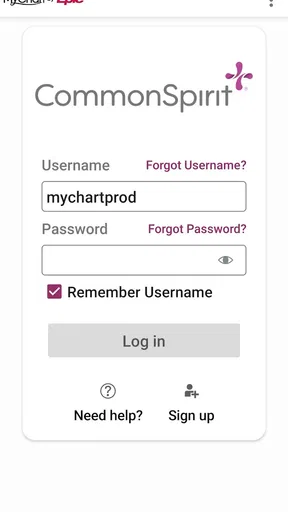
Use the same account information associated with your CommonSpirit patient portal rather than creating unrelated credentials in a hurry. If you have not activated portal access before, look for the enrollment or account-help route presented by the service and follow the instructions connected to your care location. The important point is that the app does not replace the identity relationship established by the healthcare organization.
I would also avoid completing setup while distracted in a public place. Patient portals involve sensitive information, so a quiet moment at home is preferable. Make sure you can recognize your own account before continuing, and avoid sharing sign-in details through ordinary messages. The app is convenient, but convenience should not encourage careless handling of medical information.
Your first successful action should be small and verifiable
The best first success is not an ambitious administrative task. It is confirming that the app takes you to the correct CommonSpirit patient portal and that you can find a familiar piece of information. If you already know the name of a clinic or the approximate timing of a recent interaction, use that as an anchor. Seeing familiar account context tells you more than simply reaching a generic welcome screen.
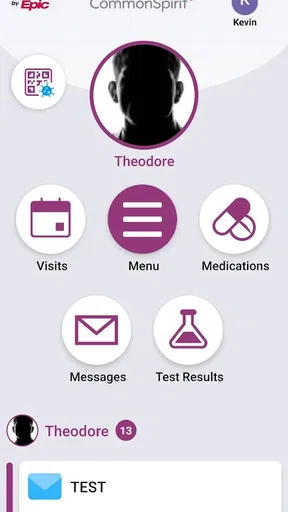
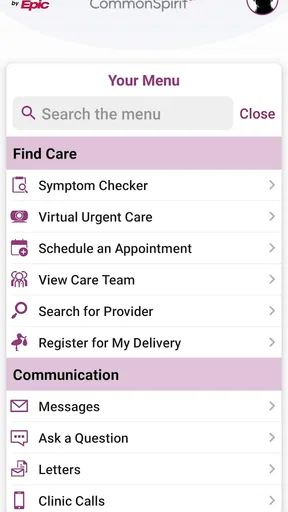
Once you are inside, take a moment to notice how the portal organizes information. I would look for the area related to communication, appointments, or health records, depending on what you need that day. The exact priority will differ between patients, but the principle is the same: learn where one important item lives before you need it urgently.
A realistic example is preparing for a follow-up visit. The evening before, I would open the app, confirm the relevant appointment information, review any available portal material connected with the visit, and write down questions I want to ask. That workflow turns the app into a preparation tool rather than something opened only after a problem has already become stressful.
Another useful scenario is checking for a response after sending a routine question through the portal. Instead of repeatedly opening the app without a plan, decide when you will check again and keep urgent matters out of that workflow. This distinction prevents a common mistake: treating portal messaging like live chat when it is better understood as non-urgent healthcare communication.
Common confusion during the first few minutes
The most likely confusion is mixing up the app with the healthcare provider’s entire digital system. The app gives mobile access to the patient portal, but that does not mean every healthcare interaction will happen inside it. A phone call, in-person visit, pharmacy service, insurance website, or emergency service may still be the correct route for a particular need.
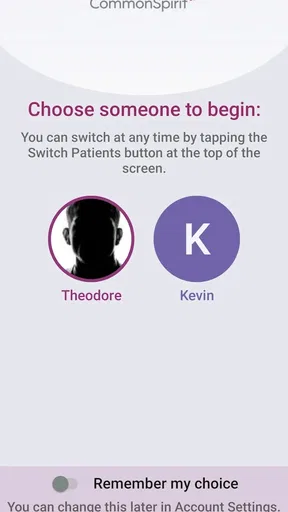
Another point that can surprise first-time users is that portal access depends on account status, not merely on downloading the app. Installation alone does not establish a patient relationship. If you are helping a parent, partner, or child, do not assume that your own account automatically grants access to theirs. Use the appropriate authorized arrangement offered by the healthcare organization rather than sharing passwords.
People also sometimes interpret a quiet portal as a technical failure. A portal may simply have no new message or newly posted item at that moment. Before reinstalling the app, check whether you are in the correct account and whether the information you expect is the kind that would actually appear in a patient portal. Repeatedly refreshing is rarely a substitute for confirming the underlying workflow.
Sign-in trouble deserves a calm sequence. First confirm the regional match, then check that you are using the portal credentials associated with your CommonSpirit care. If the problem concerns account recovery or enrollment, use the official support path connected with the portal rather than guessing at alternative accounts. I would avoid creating multiple accounts just to get past a confusing screen, because that can make future access harder to understand.
Small habits that make the app more useful
One of the most practical habits is opening the app before an appointment day. This gives you time to resolve access problems while you are calm, rather than discovering them in a crowded waiting room. It also lets you prepare questions based on information already visible in your account.
A second habit is separating information retrieval from decision-making. Use the portal to review what is available, but do not interpret a medical result in isolation when you need professional guidance. If something appears confusing or concerning, make a note of the exact item and raise it through the appropriate clinical channel. The app can improve access to information without turning the user into their own diagnostician.
A third is keeping a personal checklist for recurring portal tasks. For example, before a visit I might confirm the appointment details, review recent communication, and note questions. After a visit, I might return later to check whether the information I was told to watch for has appeared. This is more reliable than browsing randomly and helps reveal whether the app is genuinely saving time.
There is also a trade-off around notifications and attention. If the app presents alerts on your phone, treat them as prompts to check the portal rather than as complete medical explanations. Read the underlying message in the secure account, and be careful about viewing private details where other people can see your screen. The convenience of an alert is useful, but the privacy context still matters.
Where this app may fall short
The app’s focused purpose can feel restrictive if you expect a complete personal health dashboard. I would not install it expecting fitness tracking, broad educational content, or a replacement for every healthcare service on your phone. Its value comes from access to the CommonSpirit portal, so users outside that system may find little reason to keep it.
There can also be friction when a healthcare task crosses organizational boundaries. A specialist, laboratory, pharmacy, or insurer may use a different system, and one portal app cannot automatically make those records part of the same experience. In that situation, the app may still be useful for CommonSpirit-related information, but you may need separate tools for the rest of your care.
The Android requirement is another practical consideration. The app supports Android 9 and later, so someone using an older device will need a different route to the portal. Even on a supported phone, browser access remains sensible as a fallback if the app needs troubleshooting or if you prefer a larger display for reviewing detailed information.
I also would not judge the app solely by its rating. A 4.4 average from around 283 ratings is encouraging, but patient-portal experiences are highly dependent on account setup, regional eligibility, and the user’s specific task. A smooth experience for checking a portal message does not guarantee that every enrollment or support situation will feel equally simple. My recommendation is therefore conditional but clear: it is worth trying when you are an eligible CommonSpirit patient in the named region.
What to do after the first successful session
Once you have confirmed access, make the next session purposeful. Choose the task you are most likely to repeat, such as reviewing appointment information or checking portal communication, and learn the shortest route to it. This creates useful familiarity without requiring you to memorize every part of the interface.
If you manage care for someone else, discuss the access arrangement before relying on the app. The right setup should respect the patient’s privacy and make it clear who is responsible for reading and acting on information. A shared phone or casually exchanged password may seem convenient, but it can create confusion about whose health information is being viewed.
For routine care, I would keep the app alongside—not instead of—other important contact methods. Save the clinic’s appropriate contact information separately, know what to do for urgent concerns, and use the portal when the matter fits a non-urgent digital conversation. That combination gives you a safer and more dependable workflow than expecting one app to handle every situation.
CommonSpirit Health has made this a straightforward regional portal companion rather than an all-purpose medical toolbox. In my experience, that is exactly how it should be evaluated. If you are connected with CommonSpirit care in Colorado, Kansas, or Utah, the free app can remove repeated browser steps and give you a more convenient way to reach your patient account. If you are outside that network or want broader health-management features, the usual website or another specialized app may be a better match.
My recommendation is to install it with one modest goal: reach the correct portal and complete one familiar task. If that works, build from there by preparing for appointments, checking routine communication, and keeping urgent needs on the proper clinical route. That approach makes the first experience less intimidating and gives you a realistic sense of whether this CommonSpirit mobile access point belongs in your everyday healthcare routine.
Verdict
Strengths of CommonSpirit - CO/KS/UT
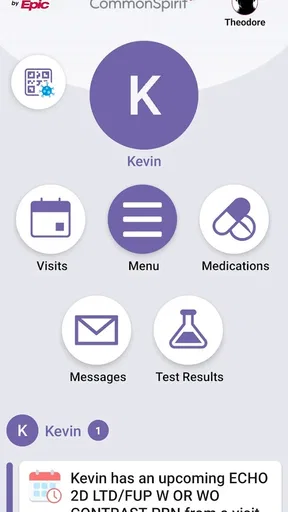
- Convenient access to health records, appointments, and test results in one place.
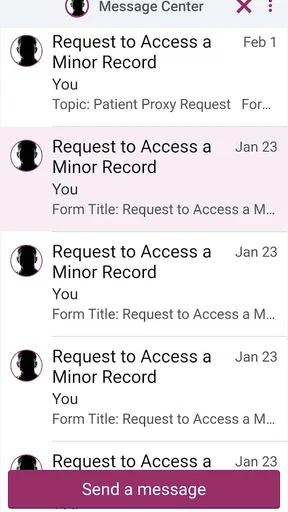
- Secure messaging makes it easier to contact care teams without calling.
- Supports bill payments and account management from a mobile device.
- Useful location tools can help find nearby CommonSpirit facilities.
- Appointment reminders may help users stay organized with upcoming care.
Limitations of CommonSpirit - CO/KS/UT
- Features may vary depending on the connected CommonSpirit facility or region.
- Some users may need an activation code or existing patient account to register.
- The app is less useful for people who do not receive CommonSpirit care.
- Loading times and sign-in issues may occur on slower connections.
- Health information may not update instantly after appointments or tests.
Other Releases by CommonSpirit Health
View All
CommonSpirit - AR/GA/KY/TN/TX
Medical4.2
Similar Picks in This Category
View All
WebMD: Symptom Checker
WebMD, LLC4.1

Microphone Amplifier
DOSA Apps4.2

Anatomy Learning - 3D Anatomy
3D Medical OU4.5

Period Tracker and Calendar
SimpleInnovation4.9

GoodRx: Prescription Coupons
GoodRx4.8

CVS Health
CVS Pharmacy4.5
Frequently Asked Questions
What is CommonSpirit - CO/KS/UT used for?
CommonSpirit - CO/KS/UT is designed to help patients and communities connect with CommonSpirit Health services in Colorado, Kansas, and Utah. Depending on your location and available facilities, the app may provide access to health information, care resources, provider details, appointment-related tools, medical contacts, and other regional services. The exact features can vary by hospital, clinic, and account type.
Can I use the app to schedule appointments or contact my doctor?
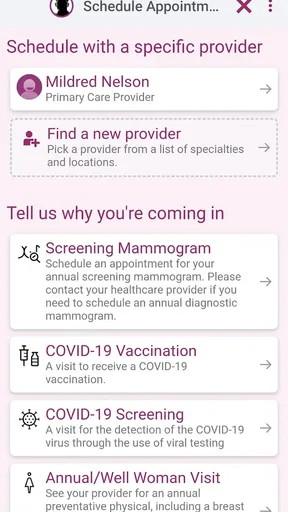
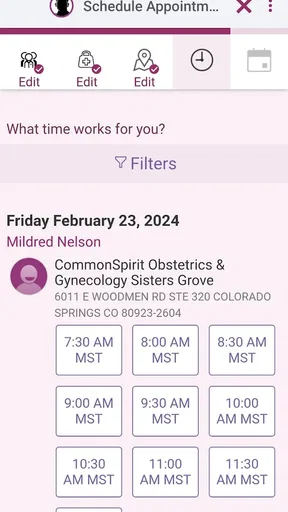
The app may include appointment and provider communication options, but availability depends on the participating CommonSpirit facility and the type of care you receive. Some users may be able to request or manage appointments, view provider information, or contact a care team through connected services. Before downloading, check whether your hospital or clinic in Colorado, Kansas, or Utah supports these functions.
Do I need a CommonSpirit account to use CommonSpirit - CO/KS/UT?
Some features may be available without signing in, such as general health resources, facility information, or contact details. However, access to personal medical information, appointments, messages, test results, billing information, or other patient-specific tools usually requires an account and secure verification. You may also need to be an eligible patient of a participating CommonSpirit location.
Is my personal and medical information secure in the app?
CommonSpirit - CO/KS/UT is intended to provide access to healthcare-related services, so users should expect security measures designed to protect personal and medical information. Nevertheless, you should use a strong password, keep your device updated, avoid signing in on public or shared devices, and enable available security options. Review the app’s privacy policy to understand data collection and sharing practices.
Will CommonSpirit - CO/KS/UT work for every CommonSpirit hospital or clinic?
Not necessarily. This application is focused on CommonSpirit services in Colorado, Kansas, and Utah, and certain tools may only work with selected hospitals, clinics, or regional systems. Features can also depend on your patient status, account connection, and the services offered by your local provider. Confirm that your CommonSpirit location is supported before relying on the app for appointments or urgent healthcare needs.
